
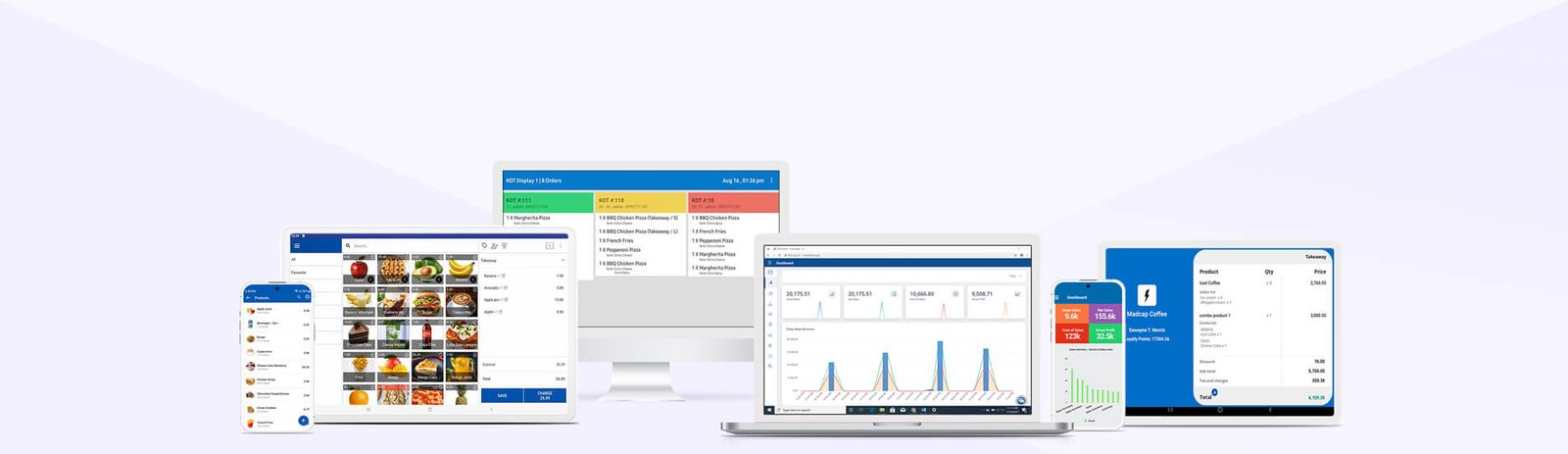
Everything You Need, All in One Platform
Our POS works on both Android devices and Web browsers
Choose to accept cash or card payments, depending on what suits your business.
Keep bills on hold until customers are ready to pay.
Provide receipts either in printed format or via email—whatever works best for your business.
Easily connect your receipt printer, barcode scanner, and cash drawer.

Set scheduled pricing plans for specific products or seasons. Apply discounts at checkout for selected items.
Continue recording sales without internet; your data will sync once back online.
Create and manage multiple shops in centralized or standalone mode. Monitor all activity from one place in real time.
Speed up checkout by scanning barcodes while adding products.

Connect to a separate customer-facing screen to show order details during billing.
Add categories and sub-categories to organize your products or services.
Track drawer cash accurately at shift start and end. Monitor cash flow to avoid errors and prevent loss.
Enable item-level refunds from any location.
Expand operations by setting up new shop locations.
Assign multiple locations with custom configurations to shops.
Control individual product lists for different shop branches.
Assign users to specific shops with tailored access permissions.
Review product transfers and summary of sales for each shop.
Track top performers by monitoring employee-specific sales.
Handle petty cash directly from the POS.
Enable shift tracking to minimize employee-related errors.
Shift-end function to support accurate daily cash management.
Create users with specific access rights and assign them to shops.


View employee appointments in calendar format (for service-type businesses).
Create purchase orders (PO), accept goods received notes (GRN) linked to POs, and share POs with suppliers.
Move inventory easily across different locations.
View and adjust stock levels through stock adjustments to fix discrepancies.
Manage inventory actions like TOG based on GRNs, allocating stock to various shops.
Upload products, prices, and details in bulk via file upload.
Receive automated alerts for low stock and approaching expiry dates.
Track inventory movement across all shops and locations.
Send automated purchase orders to suppliers and monitor receipts through GRNs.
Track daily sales revenue, net profit, gross profit, and discounts.
Get insights into the best-performing categories over a period.
Understand the movement of goods over time in each shop and plan promotions based on product cycles.
Trace expiry dates of goods.
View sales performance in each shop and understand sales trends.
Monitor fast-selling products by product.

Understand product-wise sales volumes to identify trends.
Analyze product-wise receipts, order-type sales, shop-wise sales, and more.
Access credit settlements and full reports on customers and creditors.
Create and maintain a database of customers with their contact info and preferences.
Track purchases made by customers across all shops in your network.
Implement loyalty programs to reward repeat buyers.
Issue and redeem points using loyalty cards.
Record important customer details and preferences.
View debtor profiles, payment schedules, and process settlements.
See the proportion of settlements by payment method against each customer’s total outstanding balance.
Manage orders smoothly and keep your team on the same page

Grow a loyal customer base that keeps returning
Simplified order handling, smart inventory control, clear staff tracking, visual sales insights, and loyalty features
Take orders from a tablet or phone and send them directly to the kitchen display or printer.
Kitchen staff can view and manage active orders with open tickets
Assign tickets to tables instantly using the predefined ticket option
Split, merge, or transfer items with open ticket management
Allocate tickets to specific team members for different tasks

Group items by category and personalize menus like burgers, pizza, wine, or cocktails for faster ordering
Use modifiers to add toppings and extras to any item

Select the dining mode from options like “Dine in”, “Takeaway”, or “Delivery”
Add discounts, apply taxes, or leave notes on individual items or full orders
Send instant alerts to kitchen or bar staff on what to prepare
Use kitchen displays or printers to improve order fulfillment
Connect multiple kitchen displays and printers with several POS devices
View item names, quantities, modifiers, and tickets clearly on the kitchen screen or printout
Track how long tables have been active using table timers